Showing posts with label android. Show all posts

XPLORE XC6 - WINDOWS FOR THE WILDERNESS

12:30 PM


With the Xplore XC6 there is now a Windows Tablet for rough terrain. Even at a height of over 15,000 meters in 60 degree heat and sandstorms can the tablet with Windows 8.1 still use. The target groups are the military and all sorts of outdoor use.
The XC6 Xplore tablet is IP67 certified, which means that it is absolutely dustproof and also about 30 minutes against submersion protected.Xplore is claims to be the only manufacturer that offers IP67 certified tablets. The XC6 is also the  outdoor tablet to be available on the market. A battery life of up to eight and a half hours to guarantee that outdoor use is never silence too fast. The operating system acts Windows 8.1 Pro or Windows 7 Pro.
Readable even in bright sunlight

The Xplore XC6 is a DMSR-Tablet (Abbr: dual mode sunlight readable).The maximum brightness of 1,300 cd / m² will allow a good read even in bright sunlight. The touch screen should be capable of operation even with wet fingers or gloves. The tablet produced for extreme conditions to temperatures of minus 34 to plus 60 degrees withstand and can be used both in ice and snow as well as in the desert. Also, over 64 km / h Wind speed can not hurt the tablet, and it can be even in height 15.240 meters to keep.
High storage capacity

Inside the Outdoor Tablets an Intel Core i5 processor potters. The storage capacity of the Windows tablets will have quadrupled compared to its predecessor. In addition, a micro SD slot is available. The RAM is 4 GB, on request Xplore equips the XC6 DMSR with up to 16 GB DDR3L-1600 from. Who wants to ensure the ultimate outdoor tablet, must for at least $ 5,299 shell.
Video: Xplore XC6 Tablet with Windows 8.1

Read More

Google might start shaming companies that take too long to update their Android phones

2:16 PM

It's not just you who's sick of waiting for the latest Android updates to arrive on your phone -- Google is too, and it has a plan to tackle it.

Sick of waiting for your phone to get the latest version of Android? So is Google, apparently. To help speed the process, the tech giant may start shaming companies that take too long to bring fresh versions of Android to their devices.


Google already has a list that ranks manufacturers by how up-to-date their handsets are, Bloomberg reported on Wednesday. While this list is currently only available internally -- and to the manufacturers themselves -- Google is reportedly planning to make the list public.

In doing so, it will hopefully shine a spotlight on those firms that take too long in updating the phones.

Read More

Samsung Galaxy S7 Edge review

8:57 AM


The good The Galaxy S7 Edge has a gorgeous larger curved screen and
larger battery than the otherwise identical standard S7. It really is something special. The extra navigation tools can be useful when used judiciously.


The bad When you pile on these extra navigation tools, they slow you down rather than speed you up. It's pricier than other good phones.

The bottom line The gorgeous Galaxy S7 Edge makes the best Android phone that much better.

Here's the phone you should buy right now: This one. What catapults the Samsung Galaxy S7 Edge to such heights? Is it the excellent camera, the beast of a battery, the expandable storage or the seductive design that's worth more than the sum of its parts? Yes, and more. This phone kicks the already-fantastic (just slightly smaller) Galaxy S7 up a notch with a bigger battery and that wraparound design on both sides that never fails to draw me deeper into whatever I'm viewing or doing.

Everything about the 5.5-inch S7 Edge excels from the inside out, and Samsung has refined the extra navigation software that dresses up the screen's physical curves. There are of course a few minor drawbacks -- there's no such thing as a perfect device -- but something about it feels more organic than your garden-variety phone, more complete. If you've ever seen one of Samsung's curve-bcpscreen phones before, such as the S6 Edge, S6 Edge+ and Note Edge, you know what I'm talking about.


Read More

download free GTA: Liberty City Stories v2.1 APK

10:58 AM


Get ready to head back to the East Coast as Grand Theft Auto: Liberty City Stories returns to mobile devices!

GTA: Liberty City Stories
With shorter, streamlined missions designed with mobile gameplay in mind, this definitive open-world adventure has been remastered for Android with extensive graphic enhancements, rebalanced touch controls and cross platform saves.

Former trusted wise guy for the Leone family, Toni Cipriani returns home to Liberty City after spending time in hiding for killing a made man. Now, the streets of Liberty City are in turmoil, as warring families vie for control and the town begins to self-destruct under waves of political corruption, organized crime, drug trafficking and union strikes. Deranged hit men, morally depraved tycoons, cynical politicians and even his own mother stand in the way as Toni tries to bring the city under Leone family control.

Features:

New high resolution textures and character art
Real time lighting and shadows
Enhanced draw distance
Rebalanced controls for touch-based gaming
Cross-platform cloud saves via the Rockstar Social Club
Physical controller support
What’s New

Enhanced with Immersion Tactile Effects
Assorted bug fixes
Requires :Android 4.0 and up
y


Instructions:

Install Apk
Copy ‘com.rockstargames.gtalcs’ Folder to sdcard/Android/obb
Launch the Game

Read More

how to install cm (CyanogenMod) in android

10:48 PM


CyanogenMod reste l’une des ROMS les plus appréciées dans le monde Android. C’est aussi un système d’exploitation très populaire et officiellement porté sur plus de 70 appareils (sans compter les développements alternatifs). Avec le temps, l’OS a su se créer une identité, certes basée sur Android AOSP mais enrichie de nombreuses fonctionnalités inédites.

Afin de profiter de CyanogenMod, il convient de bien préparer son appareil (smartphone ou tablette) et de respecter scrupuleusement certains pré-requis pour profiter pleinement de cette nouvelle expérience. L’essayer, c’est l’adopter et nous espérons que vous prendrez autant de plaisir à l’utiliser que nous en prenons à rédiger ce dossier. Bonne lecture !
Les origines de CyanogenMod
Avant d’aborder l’installation et l’utilisation en elle-même de CyanogenMod, revenons sur un historique de la ROM alternative la plus célèbre du monde Android. Une piqûre de rappel est parfois nécessaire histoire de savoir de quoi on parle et comment l’histoire est née. C’est parti pour une petite histoire !


Comme il a été expliqué dans l’histoire et la chronologie d’Android, le système est open-source. C’est-à-dire que le code de programmation qui a servi à donner l’OS est disponible et peut être consulté, réutilisé et adapté pour façonner un système basé sur l’existant, mais avec des modifications.

Grâce à cela, des développeurs amateurs et professionnels se sont rassemblés de part et d’autre pour créer leur propre ROM Android (donc, une version Android customisée). Parmi eux, une équipe a réussi à se faire connaître plus que les autres et porte le nom de CyanogenMod, pour avoir développé une ROM custom portant le même nom.


Tout a donc commencé avec la première version, CyanogenMod 3.1, sortie en 2009 et basée sur Android 1.5 Cupcake, maintenant arrivée au terme de la version 11 (basée sur Android 4.4 KitKat). C’est de cette ROM custom que nous allons parler tout au long de ce dossier. Vous allez pouvoir l’installer (à condition que votre appareil soit compatible), mais également découvrir la manière de la configurer et l’utiliser au quotidien.

Vous verrez, rien de compliqué, mais à la fin de ce dossier, CyanogenMod et vous, ça ne fera peut-être plus qu’un. Alors, voyez désormais comment il est possible de se procurer cette dernière. Vous allez le voir, de nombreux terminaux sont compatibles !

Installer CyanogenMod pour Android
Pour profiter de la ROM, il faut d’abord observer quelques pré-requis avant de se lancer dans son installation. Tout d’abord, votre appareil devra être rooté. Cela veut dit qu’il aura fallu le flasher (déjà) afin de pouvoir disposer des droits « root » (ou super utilisateur) sur votre appareil Android.

A partir de maintenant, veillez à sauvegarder toutes vos données car tout le contenu de votre appareil sera effacé avant l’installation de CyanogenMod.

Ce genre de manipulation n’est pas sans risque et ni moi, ni Phonandroid ne serons responsables des problèmes qui pourraient survenir à la suite de ce tutoriel.


Sans cela, il sera impossible d’installer CyanogenMod et d’en profiter. N’hésitez donc pas à suivre notre tutoriel présent ci-dessous si vous devez rooter votre périphérique avant de vous lancer dans l’aventure des ROMs custom :

Comment rooter votre appareil avec Towelroot.
Towelroot est un outil plutôt magique qui peut rooter quasiment n’importe quel appareil Android en quelques clics. Si jamais votre appareil n’était pas compatible alors il faudrait vous renseigner sur nos forums et sur Google.

D’autre part, il est indispensable de déverrouiller le bootloader de l’appareil. Dans certain cas, l’opération peut être impossible. Sur ce point, nous vous invitons à faire une recherche sur nos forums ou sur Google car la procédure diffère selon les modèles. Une chose à ne pas oublier. Deverrouiller son bootloader réinitialise généralement l’appareil. Sauvegardez vos données !

Maintenant que votre précieux est prêt, vous pouvez voir comment on s’y prend pour installer CyanogenMod et profiter de la ROM custom sur votre appareil. Juste un mot pour signaler que ce dossier est basé sur CyanogenMod 11S, une version pensée pour le OnePlus One mais les système est très proche d’une CyanogenMod standard.

Identifier son appareil
Avant même de récupérer (si possible) l’archive de la ROM pour son smartphone ou sa tablette, il va falloir identifier le numéro du modèle de l’appareil. Pour cela, rien de plus simple, rendez-vous dans Paramètres puis À propos du téléphone, voici les étapes à suivre :


Repérez la ligne « Numéro du modèle » pour connaître le numéro qui est associé à votre périphérique Android.


Dans le cas de l’image, le numéro est A0001 et correspond au


Read More

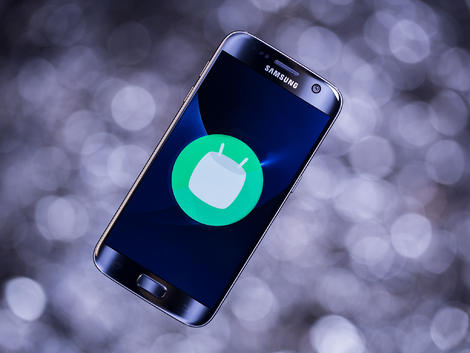
Android 6.0 (Marshmallow) reviiew

8:36 PM


I've been using the next version of Android for some months now - Android 6.0 (Marshmallow) - or to put it more correctly, I've been using various iterations of the Android M developer preview. After three developer versions though we’ve finally made it to the final release and we even have shiny new hardware to run it on, in the form of the Nexus 5X. Although as a write it's also available on the Nexus 5, Nexus 6 and Nexus 9.

A new version of Android used to be welcomed with great jubilation, but as with iOS it’s now pretty mature and the changes in each new version become less revolutionary and more incremental. Not that there’s nothi

ng here to desire, after all Android 5.0 wasn’t perfect, but most the changes are unlikely to blow you away.

Before you leave in disgust, there’s still some important new stuff to read about. Google has provided access to its Google Now assistant across the whole operating system, there’s improved standby battery life, plus support for the latest hardware trends such as fingerprint scanners and USB Type-C.

You may not be clamouring at Google to get Android 6.0 on your current handset (though if you’re keen read When will my phone get Android 6.0 Marshmallow?) but there’s certainly enough here to make it worth looking forward to.

Big new features
There’s loads of little improvements in Android 6.0 but here we’ll deal with the big new features. It’s impossible to say which of these will make it through complete to your handset manufacturer’s particular version of Android, such as Samsung’s TouchWiz, but most of us should benefit.

Now on Tap
Google Now has been around for a while, but you may not have seen it if you’re using a modified version of Android. It’s a personal digital assistant that provides pertinent information in a series of ‘cards’, based on your situation. Standing at a bus stop and you’ll get bus times, book a flight and it’ll pull the details out of your email confirmation, it also learns what sites you visit in Chrome and pops up new headlines from them.

Read More

Android Lollipop 5.1.1 review

8:01 PM


Android Lollipop isn't a baby anymore – it's been around for almost a year. And, now that we have the benefit of hindsight, has it been a success or will it be remembered as a bit of a dud in the development of Google's Android operating system?

Up-to-date Nexus devices now run Android 5.1.1, which has had a few tweaks that address some of the things people really hated about Android Lollipop when version 5.0 first arrived back in 2014. Doesn't time fly in the tech world?

I'll take a quick look at what has changed since the software launched, before diving into a full appraisal of the Lollipop software, which is set to be kicked into the past by Android Marshmallow very soon. Later on in this review I'll also give you an overview of what's changing in the next version of Android.

Do take into account though that unless you're running a Nexus device, it's likely that only parts of this review will apply to your phone. Just about every other phone uses, on some level, custom software that significantly alters how the phone looks and operates.

Read More

android kitkat 4.4 review

7:51 PM


Everyone was expecting Key Lime Pie to serve as the delicious moniker for the next version of Android. Google surprised us all by bucking tradition and releasing Android 4.4 under the name KitKat.

Version 4.0 started life as Ice Cream Sandwich, but the last three decimal additions came under theJelly Bean banner. This new version was obviously deemed different enough to snag a new nickname, but not different enough to merit a jump to version 5.0.

It's no longer the latest version of Android, however, with Android 5.0 Lollipop recently coming out. It hasn't reached a huge amount of smartphones at the moment, so there's still a good chance that your Android device is rocking Android 4.4 KitKat.

If you'd like to find out when (or if) your device is getting updated to Android 5.0 Lollipop, check out our guide on when you can expect to see the upgrade.

But back to Android 4.4 KitKat; don't be fooled, this is an important step up for Android. KitKat is super-smooth, the UI is refined and elegant, there are improvements to the long-neglected calling and messaging side of the platform, a new focus on productivity, and your fortune-telling digital assistant is brought front and centre as Google Now reaches maturity.

General surprise in the tech world wasn't just based on the erroneous supposition that Key Lime Pie had to be next; there were also some raised eyebrows at the idea of Google entering into a tawdry cross-licensing deal with Nestlé which would see a flood of Android-shaped KitKats hitting the shops offering buyers the chance to win Nexus 7 tablets or Google Play credit.

According to Google the promotion was its idea, and no money changed hands. With Nestlé producing 50 million Android KitKat bars it certainly looks like a sweet deal for them.

Naming conventions aside, the 4.4 update is about addressing some of the Android criticisms that simply won't go away, and it does so very well indeed.

There's a real focus on the consumer here, with a smattering of useful new features, a noticeable bump in performance, and some optimization to ensure that budget hardware is not left behind.

Before Android 5.0 Lollipop dropped, Android 4.4 was easily the best version of the platform to date, which could explain why some smartphone and tablet manufacturers seem to be in no hurry to update their devices.

Android KitKat started out as version 4.4, but it's since had various small updates in the form of 4.4.1, 4.4.2, 4.4.3 and most recently Android 4.4.4 - this review has been updated to reflect the tweaks and changes experienced at each step to give you the most complete overview of the operating system, as well as highlighting how things will change in the move to Android 5.0 Lollipop.

Read More